



Your Guide to Creating a Pack

Choose from Curated Offerings
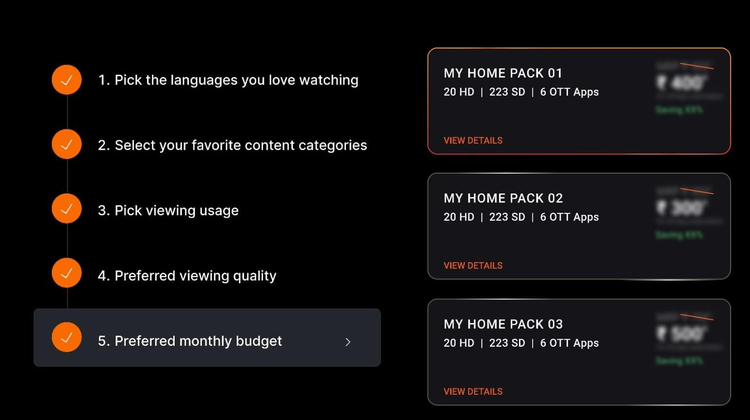
01 MAKE MY HOME PACK

Answer 4 easy questions to get a personalized pack for your home

PROCEED
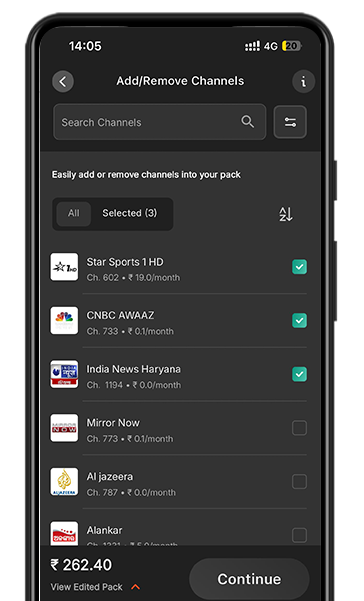
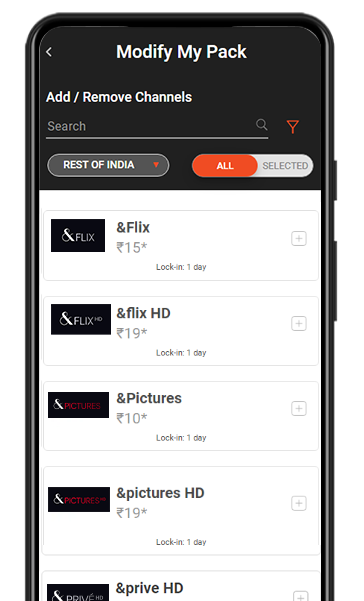
02 ADD/DELETE CHANNELS

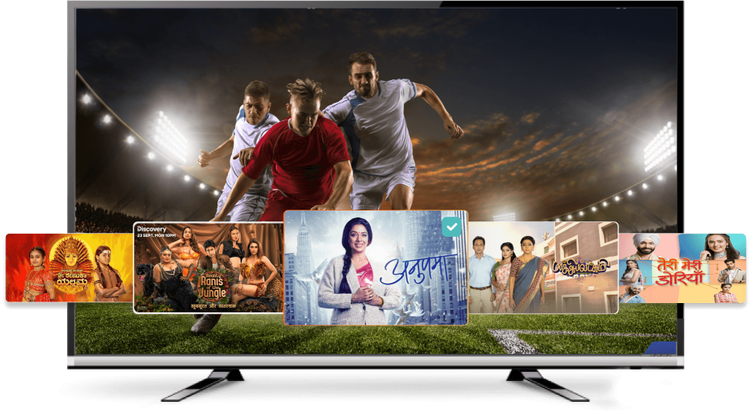
List of individual Free-To-Air (FTA) and pay channels to customize your subscribed packs.
recommend-image
EXPLORE ALL CHANNELS
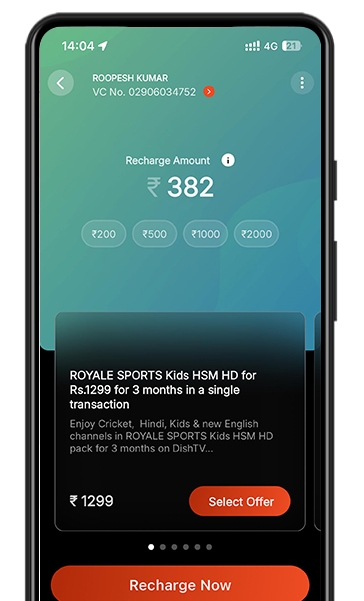
03 EXPLORE ALL PACKS

Check out the complete list of DishTV packs and channels designed for all set of users.

exploreall-image
EXPLORE ALL PACKS
recommend-image
exploreall-image

Snack on the content you love.
All day, every day.

  • LIVE TV
  • ACTIVE SERVICES
TV Show
30 mins
TV Show
60 mins
TV Show
30 mins
TV Show
30 mins
TV Show
30 mins
TV Show
30 mins
TV Show
30 mins
TV Show
30 mins
TV Show
30 mins
TV Show
30 mins
TV Show
30 mins
TV Show
30 mins
TV Show
30 mins
TV Show
30 mins
TV Show
30 mins
TV Show
30 mins
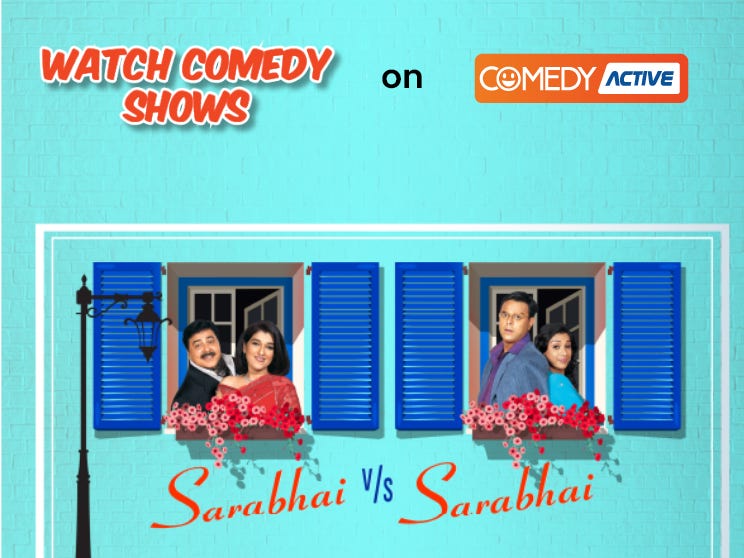
Comedy Active
Watch Comedy Shows | 30 Mins
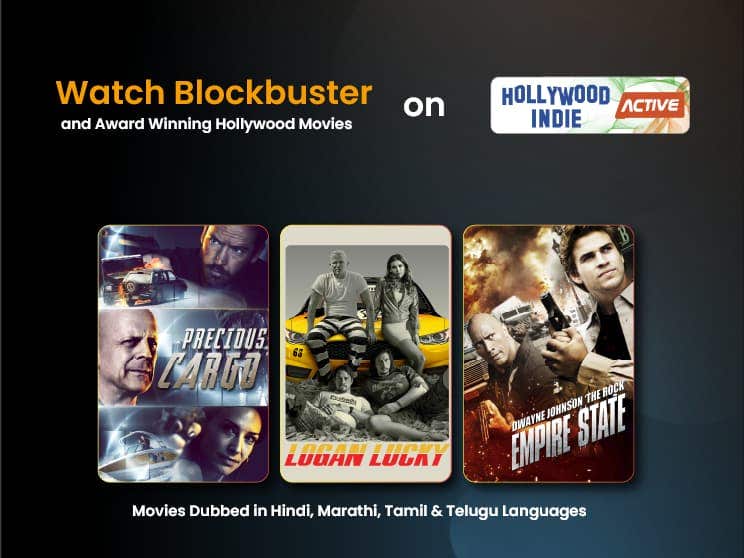
Hollywood Active
Watch Hollywood Service | 30 Mins
Kids Active
Watch Kids Show | 30 Mins
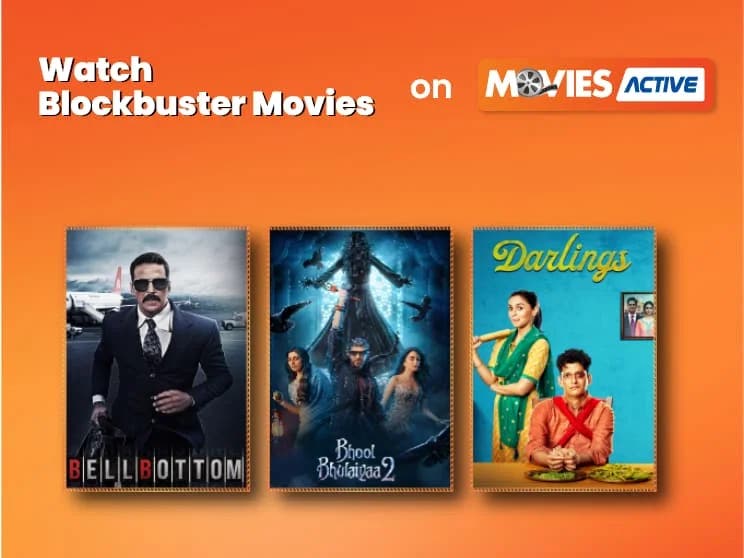
Movies Active
Watch Movies Show | 30 Mins
Toppers Active
Watch Toppers Show | 30 Mins
Shorts TV Active
Watch Shorts Active Show | 30 Mins
Comedy Active
Watch Comedy Shows | 30 Mins
Hollywood Active
Watch Hollywood Service | 30 Mins
Kids Active
Watch Kids Show | 30 Mins
Movies Active
Watch Movies Show | 30 Mins
Toppers Active
Watch Toppers Show | 30 Mins
Shorts TV Active
Watch Shorts Active Show | 30 Mins
Comedy Active
Watch Comedy Shows | 30 Mins
Hollywood Active
Watch Hollywood Service | 30 Mins
Comedy Active
Watch Comedy Shows | 30 Mins
Hollywood Active
Watch Hollywood Service | 30 Mins
Kids Active
Watch Kids Show | 30 Mins
Movies Active
Watch Movies Show | 30 Mins
Toppers Active
Watch Toppers Show | 30 Mins
Shorts TV Active
Watch Shorts Active Show | 30 Mins
Comedy Active
Watch Comedy Shows | 30 Mins
Hollywood Active
Watch Hollywood Service | 30 Mins
Kids Active
Watch Kids Show | 30 Mins
Movies Active
Watch Movies Show | 30 Mins
Toppers Active
Watch Toppers Show | 30 Mins
Shorts TV Active
Watch Shorts Active Show | 30 Mins
Comedy Active
Watch Comedy Shows | 30 Mins
Hollywood Active
Watch Hollywood Service | 30 Mins

Frequently Asked Question

What is DishTV?

DishTV is India's leading Direct-to-Home (DTH) service provider. With DishTV, you get crystal-clear picture, high-definition audio, and access to hundreds of TV channels — from entertainment and sports to news and kids’ programs — directly on your TV.

Why choose DishTV?

  • Affordable Packages: Customize your own pack and pay only for the channels you watch.
  • Easy Installation: Get Dish TV set-up quickly at your home with a simple phone call or online booking.
  • Recharge Anytime: Top-up or pay your bills online, through our app or website.
  • Hassle-free Customer Support: Our team is available 24/7 to help you solve any problems quickly. We also offer extra services such as DishTV Smart+, connecting multiple TVs to one account, and streaming videos on demand.

How DishTV works?

DishTV uses a small satellite dish installed at your home to receive signals directly from the satellite in space. The signals are routed through your set-top box and displayed on your TV in real time.

Who should set DishTV?

New TV Viewers: If you’re setting up your first TV connection at home.

  • Relocating Families: If you’re shifting and want to transfer your connection easily.
  • Existing Customers: If you want to add a secondary connection in another room or a vacation home.

DishTV Product Range — Designed To Suit Your Viewing Experience

At DishTV, we bring you a range of products tailored to match your lifestyle and preferences. Whatever your TV needs, we have something for you:

Dish HD — Experience stunning picture clarity and rich audio with our high-definition set-top box.

DishSMRT HUB — Transform your TV into a Smart TV with DishSMRT HUB. Stream content from popular apps alongside your satellite TV.

DISHTV SMART+ STB Dongle — An easy way to add smart functionality to your existing set-top box, letting you enjoy a world of entertainment on-demand.

DISHTV SMART+ TV Key — Compact, plug-and-play TV Key that lets you stream apps and video-on-demand directly on your TV.

DishTV Universal Remote — Take control of all your devices with a single universal remote — simple, convenient, and designed to make your TV experience effortless.

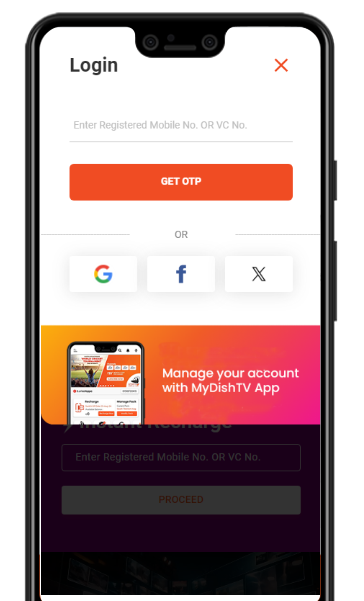
Login

CREATE / FORGOT PASSWORD
OR

FAQs

how to recharge dish tv

To recharge DishTV on the official website dishtv.in, follow these steps:

Step 1: Enter Account Details

Step 2: Review Recharge Information

Step 3: Complete Payment

This method ensures a quick and hassle-free recharge experience.

how to deactivate dish tv channel

To deactivate a DishTV channel, you can use the DishTV website or mobile app. Here's how:

Using the Website:

  1. Visit the DishTV Website: Go to DishTV's official website.
  2. Login to Your Account: Access your account by logging in with your registered mobile number or VC number.
  3. Modify My Pack: Navigate to the "Modify My Pack" section (Add/Delete Channels).
  4. Select Channels to Deactivate: Choose the channel(s) you want to remove from your subscription.
  5. Confirm Changes: Review your selection and confirm the changes.

Using the Mobile App:

  1. Download the DishTV App: Install the DishTV mobile app from the Google Play Store.
  2. Login to Your Account: Use your registered credentials to log in.
  3. Manage Channels: Go to the "Manage My Pack" or "Add/Delete Channels" section.
  4. Deactivate Channels: Select the channel(s) you want to deactivate and confirm the changes.

If you face any issues, you can contact DishTV customer care for assistance:

How to recharge Dish TV?

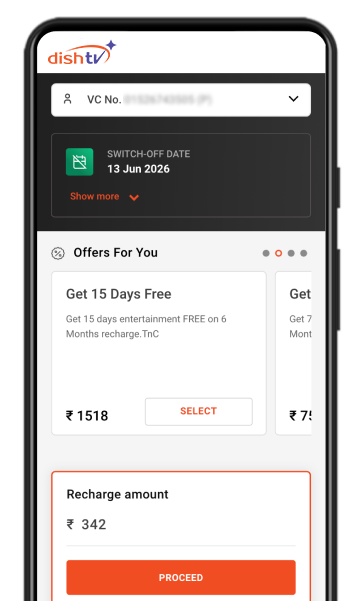
You can recharge your Dish TV connection online through the Dish TV website or mobile app. Here's how:

Recharge via Dish TV Website

  1. Visit the Dish TV official website.
  2. Navigate to the "Instant Recharge" section and enter your registered mobile number or VC number.
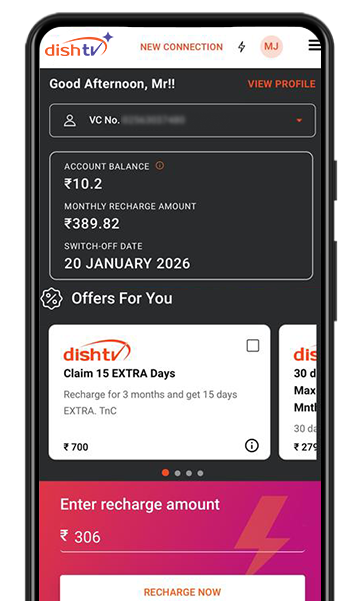
  3. Your account details, including balance and suggested recharge amount, will appear. Choose the recommended amount or enter a custom amount.
  4. Select a payment method such as UPI, debit/credit card, net banking, or mobile wallets. Confirm the payment, and your recharge will be processed instantly.

Recharge via Dish TV Mobile App

  1. Download and open the Dish TV app.
  2. Tap on the "Instant Recharge" option on the home screen.
  3. Select a recommended pack or enter a custom recharge amount. Tap "Recharge Now" to proceed.
  4. Choose a payment method (UPI, debit/credit card, net banking, or wallets) and complete the transaction.

Tips for Hassle-Free Recharge

For more details, visit Dish TV Recharge.

how to recharge zing dish tv

To recharge Zing Dish TV through DishTV's online platform, follow these steps:

Using the DishTV Website:

  1. Visit the Official Website: Go to DishTV's website.
  2. Enter Account Details: Navigate to the "Instant Recharge" section and enter your registered mobile number or VC number.
  3. Review Recharge Information: Your account details, including balance and suggested recharge amount, will appear. You can proceed with the recommended amount or choose a custom plan.
  4. Make Payment: Select a payment method such as UPI, debit/credit card, net banking, or mobile wallets. Confirm the payment, and your recharge will be processed instantly.

Using the DishTV Mobile App:

  1. Open the App: Download and open the DishTV app.
  2. Select Instant Recharge: Tap on the "Instant Recharge" option on the home screen.
  3. Choose Plan or Enter Amount: Select a recommended pack or enter a custom recharge amount. Tap "Recharge Now" to proceed.
  4. Complete Payment: Choose a payment method (UPI, debit/credit card, net banking, or wallets) and confirm the transaction.

For more details, visit DishTV Recharge.

how to get dish tv connection

To get a new DishTV connection, follow these simple steps:

  1. Choose Your Box: Select the type of set-top box that suits your needs, such as Dish HD, DishSMRT HUB, or others. You can explore the options on their website.

  2. Select a Pack: Pick a subscription package that matches your viewing preferences. You can explore all packs on their website.

  3. Make the Payment: Complete the payment process online to confirm your connection.

Once booked, the setup will be completed within 12-24 working hours, and your connection will be activated the same day or the next day. For more details, visit the DishTV homepage.

which dth is best for new connection

DishTV is an excellent choice for a new DTH connection due to the following reasons:

  1. HD Picture Quality & Crystal-Clear Sound: DishTV offers exceptional viewing quality with high-definition channels and superior audio.

  2. Affordable New Connection Offers: DishTV provides budget-friendly packages tailored to your preferences.

  3. Free Installation Service: Installation is free for all new connections, ensuring a hassle-free setup.

  4. Smart Set-Top Boxes: DishTV offers advanced set-top boxes that support TV viewing along with OTT apps for streaming.

  5. Wide Availability: DishTV is available across India, making it accessible in urban, rural, and remote areas.

  6. Flexible Channel Packs: You can customize your channel pack to pay only for the channels you watch.

  7. Quick Activation: New connections are activated within 12-24 hours of booking.

For more details, you can visit DishTV New Connection.

How to recharge DTH channel?

To recharge your DishTV DTH connection, follow these steps:

Using Desktop or Laptop

  1. Visit the DishTV Website: Go to DishTV's official website.
  2. Enter Account Details: Navigate to the "Instant Recharge" section and enter your registered mobile number or VC number.
  3. Review Recharge Information: Check your account details, including balance and suggested recharge amount. You can choose the recommended amount or select another plan.
  4. Complete Payment: Select a payment method (UPI, debit card, credit card, net banking, or wallet) and confirm the payment. The recharge will be processed instantly.

Using Mobile App

  1. Open the DishTV App: Download and open the DishTV app from the Google Play Store.
  2. Select Instant Recharge: Tap on the "Instant Recharge" option on the home screen.
  3. Choose Plan or Enter Amount: Select a recommended pack or enter a custom recharge amount. Tap "Recharge Now" to proceed.
  4. Make Payment: Choose a payment method (UPI, debit/credit card, net banking, or wallets) and complete the transaction. The recharge will activate immediately.

Tips for Hassle-Free Recharge

For more details, visit the DishTV recharge page.

How to pay Dish TV bill online?

You can pay your DishTV bill online using the following methods:

Using the DishTV Website

  1. Visit the Official Website: Go to the DishTV website.
  2. Enter Account Details: Navigate to the "Instant Recharge" section and enter your registered mobile number or VC number.
  3. Review Recharge Information: Check your account details, including balance and suggested recharge amount. Choose the recommended amount or enter a custom amount.
  4. Make Payment: Select a payment method such as UPI, debit/credit card, net banking, or mobile wallets. Confirm the payment, and your recharge will be processed instantly.

Using the DishTV Mobile App

  1. Open the App: Download and open the DishTV app.
  2. Select Instant Recharge: Tap on the "Instant Recharge" option on the home screen.
  3. Choose Plan or Enter Amount: Select a recommended pack or enter a custom recharge amount. Tap "Recharge Now" to proceed.
  4. Complete Payment: Choose a payment method (UPI, debit/credit card, net banking, or wallets) and confirm the transaction.

Payment Methods Supported

Tips for Hassle-Free Recharge

For more details, visit DishTV Recharge.

how to recharge dish tv online

To recharge DishTV online via the official website DishTV.in, follow these steps:

Steps to Recharge DishTV Online:

  1. Visit the Website:

  2. Enter Account Details:

    • Input your registered mobile number or VC number in the required field and proceed.
  3. Review Recharge Information:

    • Your account details will appear, including your balance and suggested recharge amount.
    • You can either continue with the recommended amount or select another plan.
  4. Complete Payment:

    • Choose a payment method such as UPI, debit card, credit card, net banking, or mobile wallets.
    • Confirm the payment, and your recharge will be processed instantly.

For a faster experience, you can also use the DishTV mobile app to recharge.

Which DTH is best for a new connection?

DishTV is one of the best choices for a new DTH connection due to its wide range of features and plans tailored to suit different needs. DishTV offers exceptional picture quality, affordable packages with customizable channels, easy installation, and advanced products like DishSMRT HUB and DISHTV Smart+ that can transform your TV into a smart TV. Popular plans include the HD Cashback Plan offering total cashback of ₹5000 and features like instant cashback, complimentary access to OTT apps, and stereophonic sound. The SMRT Cashback Plan provides similar benefits with advanced features like voice search and Android set-top box compatibility. DishTV also boasts reliable customer support, convenient recharge options, and services like multi-TV connections and video-on-demand, making it ideal for both new buyers and relocating families.

how to pay dish tv bill online

You can pay your DishTV bill online using the following methods:

Using the DishTV Website

  1. Visit the Official Website: Go to DishTV's website.
  2. Enter Account Details: Navigate to the 'Instant Recharge' section and enter your registered mobile number or VC number.
  3. Review Recharge Information: Check your account details, including balance and suggested recharge amount. You can choose the recommended amount or enter a custom amount.
  4. Make Payment: Select a payment method such as UPI, debit/credit card, net banking, or mobile wallets. Confirm the payment, and your recharge will be processed instantly.

Using the DishTV Mobile App

  1. Open the App: Download and open the DishTV app.
  2. Select Instant Recharge: Tap on the 'Instant Recharge' option on the home screen.
  3. Choose Plan or Enter Amount: Select a recommended pack or enter a custom recharge amount. Tap 'Recharge Now' to proceed.
  4. Complete Payment: Choose a payment method (UPI, debit/credit card, net banking, or wallets) and confirm the transaction.

Payment Methods Supported

Tips for Hassle-Free Recharge

For more details, visit DishTV Recharge.

Which DTH connection is best?

DishTV is considered one of the best DTH connections in India due to its exceptional features and services. Here’s why DishTV stands out:

  1. Wide Range of Channels: DishTV offers hundreds of TV channels, including entertainment, sports, news, movies, and regional content, ensuring a diverse viewing experience.

  2. Affordable Packages: You can customize your own pack and pay only for the channels you watch, making it cost-effective.

  3. Exceptional Picture Quality: DishTV provides crystal-clear picture resolution and high-definition audio for an enhanced viewing experience.

  4. Easy Recharge Options: You can recharge your DishTV connection conveniently online through their website or app.

  5. Flexibility to Modify Packs: DishTV allows you to personalize your channel selection, ensuring you only pay for what you need.

  6. Unparalleled Customer Support: With free and secure installation, 24/7 assistance, and hassle-free service, DishTV ensures a smooth experience for its users.

  7. Additional Services: DishTV offers add-ons like DishTV Smart+, multi-TV connections, and video-on-demand for a modern TV experience.

  8. Availability Across India: DishTV is accessible in all cities and regions, making it a reliable choice for households nationwide.

For more details, visit DishTV's website.