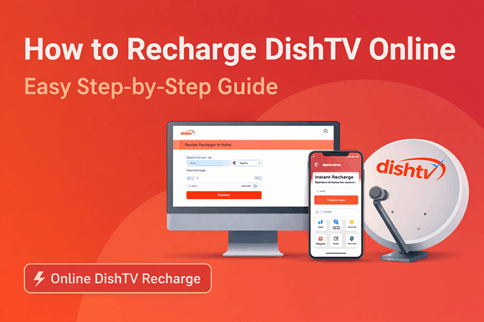
How to Recharge DishTV Online: Step-by-Step Guide
Recharging your DishTV connection is now quicker than ever. You no longer need to depend on local vendors or wait in queues. With online options available on both desktop and DIshTV mobile app, you can renew your subscription anytime in just a few steps.
This guide explains how to recharge DishTV online using different methods, so you can choose what works best for you.
Why Choose Online DishTV Recharge?
Online recharge gives you full control over your subscription. You can select plans, check balance, and complete payment instantly without any delays.
Benefits include:
- Immediate activation
- Easy access to plans and offers
- Multiple payment methods
- No need to visit a shop
- Available anytime
How to Recharge DishTV Online on Desktop
Using a desktop or laptop is ideal if you want to view complete details before making a payment.
Step 1: Enter Account Details
Visit the official DishTV website and go to the Instant Recharge section.
Enter your registered mobile number or VC number and proceed.
Step 2: Review Recharge Information
Your account details will appear, including balance and suggested recharge amount.
You can continue with the recommended amount or choose another plan.
Step 3: Complete Payment
Select a payment method such as UPI, debit card, credit card, net banking, or wallet.
Confirm the payment, and the recharge will be processed instantly.
How to Recharge DishTV Using Mobile App
The DishTV app offers a faster and more streamlined experience. It is designed for quick recharges with minimal steps.
Step 1: Select Instant Recharge
Open the DishTV app and tap on the Instant Recharge option available on the home screen.
Step 2: Choose Plan or Enter Amount
You will be taken to the offers page where you can either:
- Select a recommended pack
- Enter a custom recharge amount
Tap on Recharge Now to continue.
Step 3: Make Payment
Choose from available payment options like UPI, debit/credit card, net banking, or wallets.
Complete the transaction to activate your recharge immediately.
Common Payment Options Available
DishTV supports multiple digital payment methods, including:
- UPI (Google Pay, PhonePe, Paytm, etc.)
- Debit and credit cards
- Net banking
- Mobile wallets
This flexibility ensures that you can pay using your preferred option.
Tips for a Hassle-Free Recharge
- Double-check your VC number or registered mobile number
- Recharge before the due date to avoid service interruption
- Keep your set-top box switched on during recharge
- Look for offers or cashback while making payment
FAQs
How long does DishTV recharge take?
Most recharges are completed instantly after payment confirmation.
Can I recharge DishTV using UPI?
Yes, UPI is widely supported and is one of the fastest payment methods.
Can I enter a custom recharge amount?
Yes, both the website and app allow you to recharge with a custom amount.
What should I do if recharge is not updated?
Wait a few minutes and check again. If the issue continues, contact DishTV support with transaction details.
Conclusion
Recharging DishTV online is simple whether you use a desktop or the mobile app. The desktop method gives you a detailed view of plans, while the app allows you to complete the process quickly. Both options ensure a smooth and instant recharge experience without any hassle.